Instantly visualise keyboard shortcuts on your Mac
The Mac environment is built to make full use of keyboard shortcuts, yet very few people know exactly how to use these.
Top Recommended Alternative
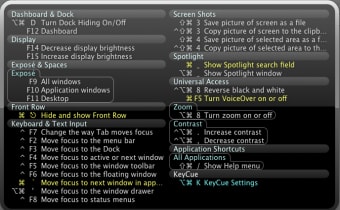
Especially if you've recently switched to Mac from Windows, you may find this frustrating. KeyCue is a simple and very effective application which reveals all the available keyboard shortcuts available on your Mac. Just hold down the CMD key and the list of shortcuts will appear in the foreground in a few seconds. The window takes a few seconds to appear and sometimes I found it took a while to respond bit generally it responded fairly quickly.
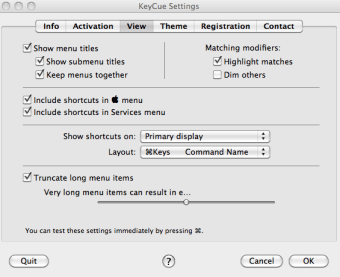
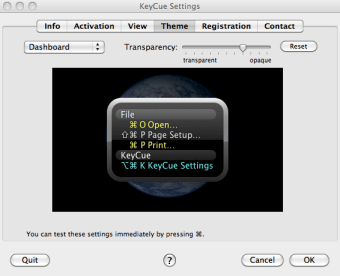
Shortcuts are organized by category such as Dashboard and Dock, Spotlight and Front Row. Once you've used KeyCue a few times to find the shortcuts that you need, you'll soon know them off by heart. There are several options and preferences such as the theme and view style but there is a distinct lack of themes to choose from
KeyCue is a great tool to discover and learn all the keyboard shortcuts on your Mac especially for those who have recently switched from Windows.
Changes
Compatible with OS X 10.8 Mountain Lion. The Installer's completion sound now plays through the "sound effects" channel and respects the alert volume as defined in System Preferences. Fixes an issue during editing of custom shortcuts that caused group titles to appear white on white. New technique for adding KeyCue to the list of Login Items now also works for Mountain Lion. Improves handling of the "start at login" setting in cases where the KeyCue application was renamed. The installer now uses an improved technique for finding the preferred destination location.